
Google Calendar Review: Selecting a calendar app might look simple and easy. It can, however, affect the management process of meetings, appointments, reminders, and personal plans daily. Google Calendar and Apple Calendar are two popular calendar apps available now.
They are designed for different purposes. Although Google focuses on cross-platform access, collaboration, integrations, and advanced scheduling, Apple priortize simplicity, privacy, and a smooth experience across Apple devices. This isn’t mean that Google Calendar is perfect than Apple Calendar app.
We’ll today compare Google Calendar and Apple Calendar based on their features, prices, strengths, and weaknesses. You’ll learn about when you should use any of these calendar apps and make the right decision effectively.
Google Calendar app stands at #1 among the top apps for studying by students.
Google Calendar Review: Comparison Table
| Features | Google Calendar | Apple Calendar |
| Why you should use | Cross-platform and collaboration | Simplicity |
| Platforms | Web, Android, iOS, and iPadOS | iPhone, iPad, Mac, and Apple Watch |
| Interface | Customizable and rich | Clean and minimalist |
| Collaboration | Advanced sharing and scheduling | Small-group sharing |
| Smart features | Gmail, Meet, Task, and smart scheduling | Siri, Reminders, and Apple Intelligence |
| Privacy | Strong. It is a part of Google’s data ecosystem | Privacy-focused |
Google Calendar Review: Features
1. Interface and Ease of Use
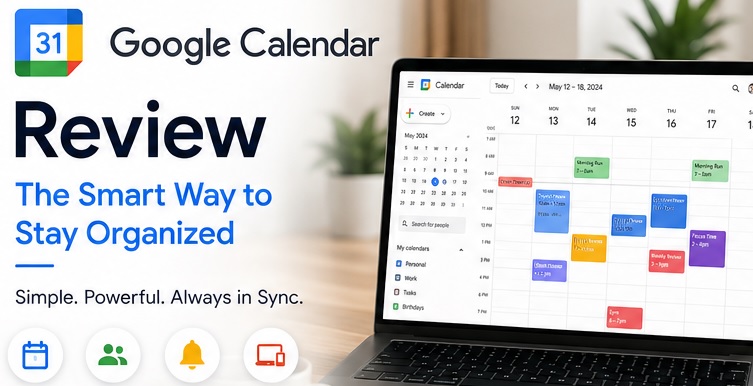
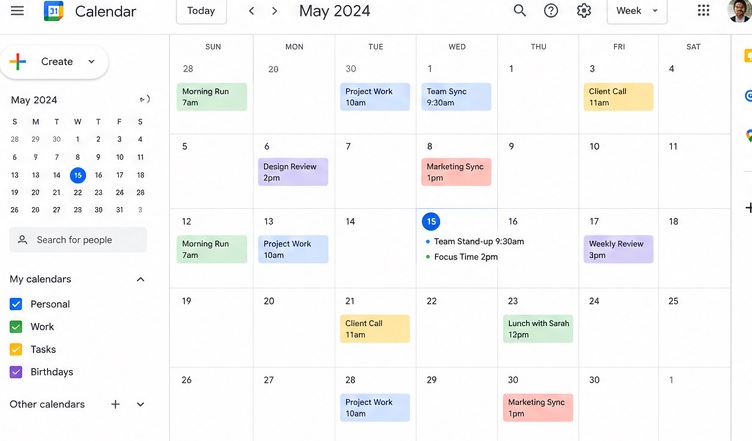
Google Calendar offers several ways to check your schedule. Day, week, month, and schedule views are some of those methods. You can also separate work, personal appointments, and other commitments using its color-coded schedule. It is also helpful because it shows upcoming schedules as a running line.
Apple Calendar, in contrast, follows a simple approach with its clean and Apple’s language design. Anyone can use it comfortably on iPhone, iPad, or Mac. Users might need to manage multiple calendar apps for advanced features.
2. Cross-Platform Support
Google Calendar has the biggest advantage in this area.
It can be opened on Android, iPhone, iPad, the web, etc. You can easily open it in a web browser to switch between devices or use a Windows computer at work.
iPhone, iPad, Mac, and Apple Watch users can only use Apple Calendar. There’s also a cloud-based version. Its experience is far too limited compared to apps. On top of that, there’s no Android App.
3. Integrations and Smart Features
Google Calendar again wins in this area.
It can easily be connected with Gmail, Google Meet, Google Tasks, and other Google services. Slack, Zoom, Trello, Asana, and Todoist are also capable for Google Calendar’s integration. Its Gmail integration is also helpful for adding booking details, flights, reservations, and event invitations. Focus time and Out of Office events are also Google Calendar’s helpful features.
Apple’s ecosystem is the base of Apple Calendar. Siri can use it for event creation. Apple Reminders can also appear with calendar details on your screen. Mail and Maps can also work with it to offer helpful information and a travel-time feature.
4. Sharing and Collaboration
Google Calendar should be the team’s preferred choice.
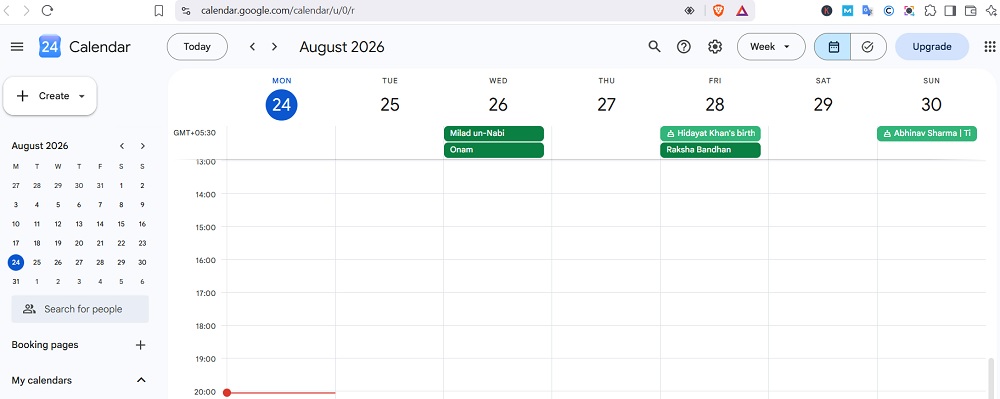
You can use it to share the calendar and control visibility permissions. It also helps you check other people’s available time and schedule meetings according to their availability. This is especially useful for working with different people with different time zones.
App Calendar, however, is useful for families and small groups because it supports shared calendars. It is important, however, for everyone to use this app for easy sharing.
5. Privacy
It is the area where Apple shines.
Apple’s approach focuses on privacy. It also doesn’t use your usage to earn through advertisements.
Google, though, also offers strong account security with two-factor authentication. Its calendar still exists in Google’s broader data-driven ecosystem. Although some users prefer it for its integration and some advanced features, Apple should be considered for better privacy.
Pros & Cons
Google Calendar Pros & Cons
| Pros | Cons |
| It can be easily used on Android, iOS, web, and other platforms | Privacy issue |
| Excellent Google Workspace integration | Busy interface |
| Third-party integration | Beginners may face difficulties when using it |
| Advanced collaboration | |
| Multiple customization options | |
| Smart scheduling |
Apple Calendar Pros and Cons
| Pros | Cons |
| Clean and simple interface | Not available on Android |
| Integration with Apple Devices | Less third-party integration |
| Siri and Reminders integration | Complex collaboration is difficult |
| iCloud synchronization | |
| Privacy-focused |
Google Calendar Pricing
Google Calendar and Apple Calendar are completely free to use.
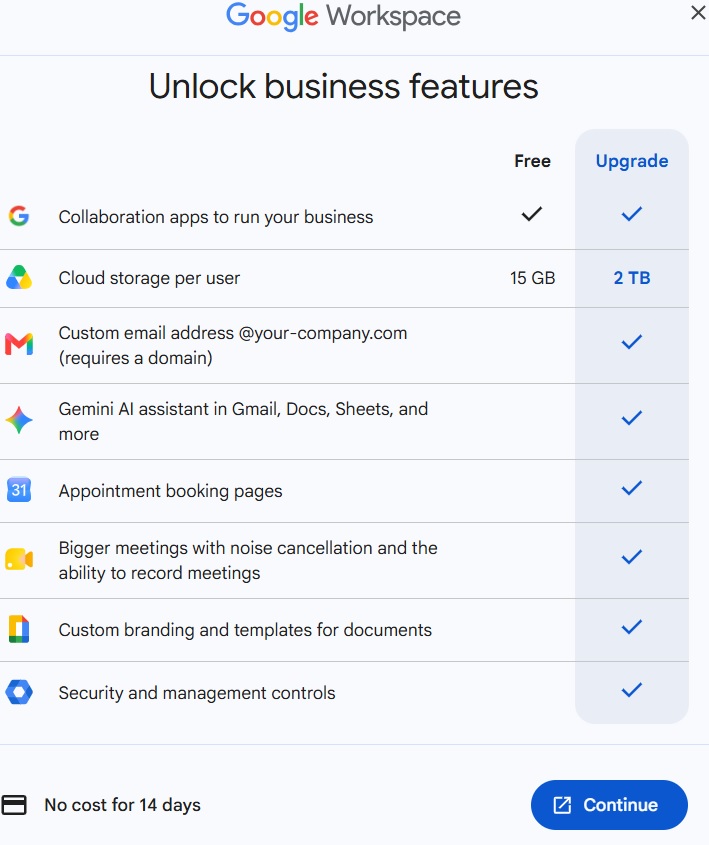
Although a Google account is only needed to use Google Calendar, a paid plan is important to access advanced appointment booking schedules with payment integration and other premium features.
Apple Calendar offers all its features for free on all iOS devices.
Who Should Use Google Calendar?
You should use it for:
- Working with external collaborators or colleagues
- Gmail, Google Meet, or Google Tasks integration
- Third-party integration
- Managing different calendars
- Advanced scheduling and sharing tools
- Seeing your schedule from your browser
Who Should Use Apple Calendar?
You can also use Apple Calendar when you want:
- Simple interface
- Tight integration with iPhone, iPad, Mac, and Apple Watch
- To use it with Siri and Apple Reminders
- To prefer privacy over advanced features
You may like to read,
GoodNotes Review: Is It Worth Using?
Forest App Review: Is it Best Study focus App?
FAQs to Google Calendar Review
Is Google Calendar better than Apple Calendar?
Google Calendar is indeed better for cross-platform access, integrations, collaboration, and advanced features. Privacy, simplicity, and Apple integration are only available in Apple Calendar. This is therefore there’s no winner between these two.
Can I use Google Calendar with Apple Calendar?
Yes, they can be used together. It is helpful for Apple device users as it allows them to enjoy advanced features and simplicity with robust privacy.
Is Apple Calendar available on Android?
No, Apple Calendar doesn’t have an Android app. Anyone can access iCloud Calendar through a web browser with limited features compared to the iPhone app.
Which app has better integrations?
Google Calendar offers better integration with Google services and many third-party Ai tools. It can easily be connected with Slack, Zoom, Asana, Trello, and Todoist besides Google services.
Which calendar is better for privacy?
Apple Calendar offers stronger privacy compared to Google Calendar. Google, however, also offers strong security.
Conclusion
Google Calendar and Apple Calendar are indeed helpful for different uses.
Google Calendar is best for working across several devices. It is useful for its cross-platform availability, collaboration features, integrations, customization, etc..
Apple Calendar, meanwhile, is ideal for coming under Apple’s secure ecosystem. Clean interface, native device integration, Siri support, and privacy-focused approach are its strengths.
Your needs are better to consider to decide which one you should use.