
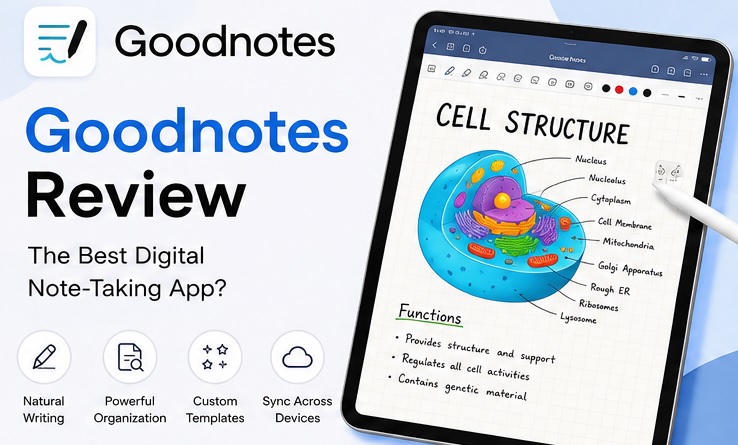
GoodNotes Review: GoodNotes is a digital note-taking and PDF annotation app for handwritten notes, digital notebooks, and stylus-based writing. Although Time Base Technology Limited created it in 2011 as a simple notebook, it has now turned into a productivity and study app.
It is mainly developed for students, professionals, and others to write with a stylus. It is also ideal for PDF annotation, organizing study materials, and typing or handwriting content in the same app.
You’ll learn everything about GoodNotes, its plans, problems you may encounter, etc, in this GoodNotes Review. We’ll help you understand if investing your valuable time and effort would be good or not.
GoodNotes Review: Quick Review
| Free plan | Limitation |
| Essential plan | $11.99/year |
| Pro | $35.99/year |
| Handwritten recognition | Available only for paid users |
| PDF Annotation | Yes |
| Audio recordings | Yes |
| Flashcards | Yes |
| Whiteboard | Yes |
| AI tools | Yes |
GoodNotes Review: Top Features
1. Handwritten and Typed Notes
These areas are GoodNotes’s biggest strengths. Users can use a stylus to write and type text boxes. They can move content around pages or even customize fonts, sizes, colors, and formatting.
A traditional typing experience can also be achieved with Text Documents via headings, indentation, and bulleted lists.
This is why it is useful for handwriting or even typing with a keyboard. It isn’t designed to replace Google Docs or Microsoft Word for long-term typing work. GoodNotes is still enough for daily note-taking activities.
2. Organization and Search
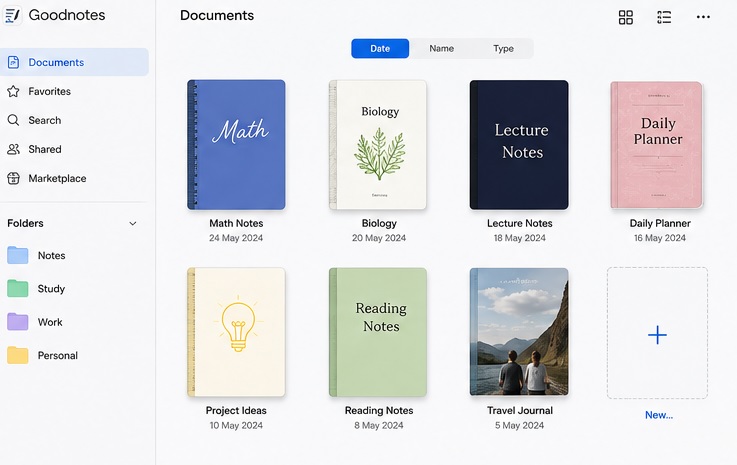
The app also helps arrange content using folders and nested folders. Folder colors, icons, and emojis are helpful for identifying different types of content.
Its search feature is also helpful for finding relevant data quickly. Handwriting recognition and OCR can easily find handwritten text.
3. Whiteboard
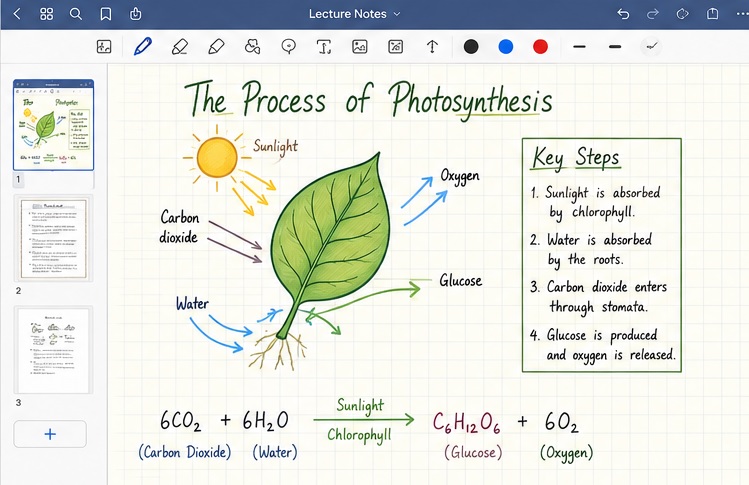
The whiteboard canvas is also available in GoodNotes. You can use it for brainstorming, mind maps, diagrams, sketches, etc. Although templates are also there, mini-maps are helpful for moving around a large canvas.
This feature makes GoodNotes helpful for note-taking and open-minded visual thinking.
4. Audio Recording
The app also performs audio recording and playback while you take notes. Recording can also be synced with notes during playback. It is useful for lectures, meetings, or study sessions.
5. Flashcards
Students can also use its dedicated Study Sets feature to create flashcards for easy memorization. They work effectively with its Smart Learn because it adjusts study sessions around missed cards and reminds users to review them again.
Although it may not be the best tool to create flashcards alone, it still deserves appreciation for keeping flashcards along with other helpful features for learners.
6. AI and Study Tools
Several AI tools are also available at GoodNotes. For example, its handwriting spellcheck recognizes handwriting and corrects mistakes in a similar manner.
Interactive Exam Practice and AI Math Assistance are also there for finding errors in equations in supported preparation practice.
GoodNotes Review: Pros & Cons
GoodNotes Pros
- Excellent handwritten note-taking
- Strong handwriting recognition
- Nested folders are helpful for broaden organization
- Typed and handwritten content supported
- PDF annotation
- Audio recording
- Whiteboard availability
- Flashcards
- Useful AI and study features
GoodNotes Cons
- Three files in free plan
- Paid subscription needed for advanced features
- Large documents may become slower
- Flashcards aren’t specialized
There are occasional import, backup, and synchronization problems. Although they don’t affect everyone, it is worth considering for storing important notes in it.
GoodNotes Pricing
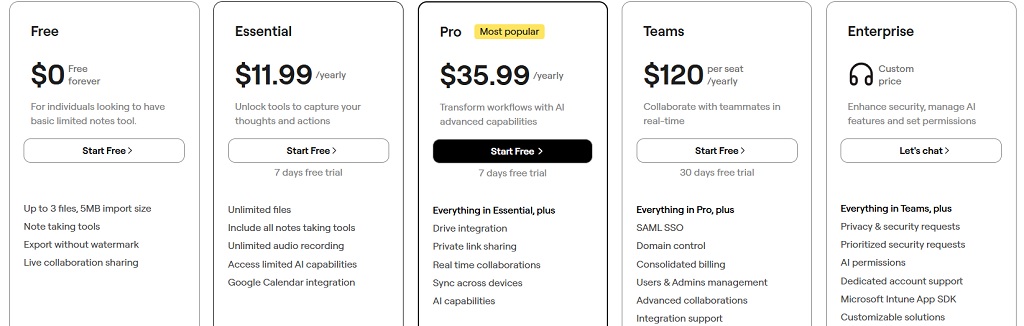
Free plan is usually enough for starting out. But you need to purchase a paid subscription to use it regularly.
| Plans | Pricing | What you’ll get |
| Free | $0 |
|
| Essential | $11.99 per year |
|
| Pro | $35.99 per year |
|
| Teams | $120 per year |
|
| AI Pass | $9 per month | Full AI experience |
| Enterprise | Custom |
|
Who Should Use Goodnotes?
It is mainly helpful for students to write notes, annotate study PDFs, create flashcards, etc.
iPad users can also convert their devices into digital notebooks. Several paper-based study habits can be replaced easily using its handwriting, templates, audio, search, and PDF annotation.
Professionals can also use it for meetings, planning, brainstorming, and document annotation. Its whiteboard could also be useful for turning visual ideas into digital visuals.
GoodNotes, however, may not be the best option for typing documents. Handwriting and visual note-taking are its main strengths.
FAQs to GoodNotes Review
Is GoodNotes free?
Yes, there’s a free plan with limited features. It is ideal for testing the app, as it allows only 3 files.
Is GoodNotes a one-time purchase?
Yes, Apple users can only enjoy its one-time purchase plan. Its availability, however, varies based on the region you live in.
Can GoodNotes sync between iPad and Windows?
Yes, the appropriate GoodNotes account and cross-platform subscription are needed for full library synchronization. You can also use separate notebooks using a share link. It is, however, different from full synchronization.
Why does GoodNotes use so much battery?
Many writing sessions can be used while writing notes in this app. Large PDFs and notebooks can also increase load on your device’s system.
Can GoodNotes make handwriting smaller?
Yes, its Zoom Window lets you write in the magnified area. It makes handwriting smaller on the smaller page.
Conclusion
GoodNotes has been developed beyond a simple digital notebook. Although n handwriting, PDF annotation, organization, and stylus support are its biggest strengths, Whiteboard, audio recording, Study Sets, handwriting search, and AI tools help you perform different tasks more conveniently.
Battery use, occasional Pencil lag, large-document performance, and syncing are some of the common issues. It would be best to test it with a free plan to check whether these concerns affect your workflow.
GoodNotes is an overall strong choice for students and handwritten-note users, as it is useful for keeping their notebooks, PDFs, study material, and creative work together.