
Here is a detailed Notion app review. Here I have discussed Notion app uses, disadvantages and pricing of the app.
Notion is one of the most flexible apps available in 2026 for keeping notes, projects, tasks, documents, databases, etc, together. Flexibility can, however, make the tool difficult to set up. This is why it is important to ensure that the Notion app is ideal for your use or not.
Notion is indeed useful for combining multiple productivity tasks in one place. Users can write notes, manage projects, create databases, build company wikis, plan content, and organize personal information using this app. Its free plan also lets you access its basic features without spending a penny.
We’ll today discuss our perspective on Notion’s features, pricing, ease of use, collaboration tools, strengths, and weaknesses. You’ll get to know a real-world experience of using Notion, as we’ve used it for years.
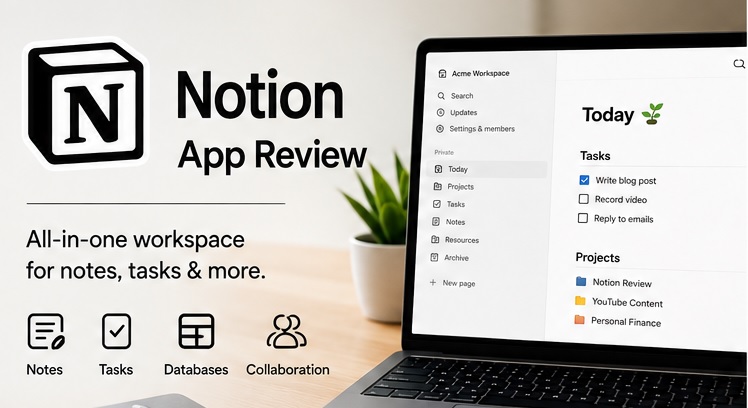
Notion App Review: Quick Overview Table
| Reason to use | Notes, projects, workflows, etc |
| Free plan | Available |
| Paid plans | Starts at $10/month |
| Note-taking | Excellent |
| Project management | Incredible |
| Collab | Great |
| Templates | 20,000+ free templates |
| AI | Full AI business tools |
| Offline access | Limited |
| Experience | Good |
Notion App Uses
Now, let’s discuss Notion app uses;
1. Note-Taking
It is among Notion’s strongest areas, as it has a strong focus on notes and documents. Users can keep or create their notes with proper headings, tables, lists, images, videos, code, bookmarks, and other blocks.
The block-based editor is very customizable. You can move separate elements around or create sub-pages for different topics. A database can also be added to the pages directly. It helps keep notes and structured information together.
This is why Notion is ideal for notes, documents, meeting records, scripts, etc.
2. Project and Task Management
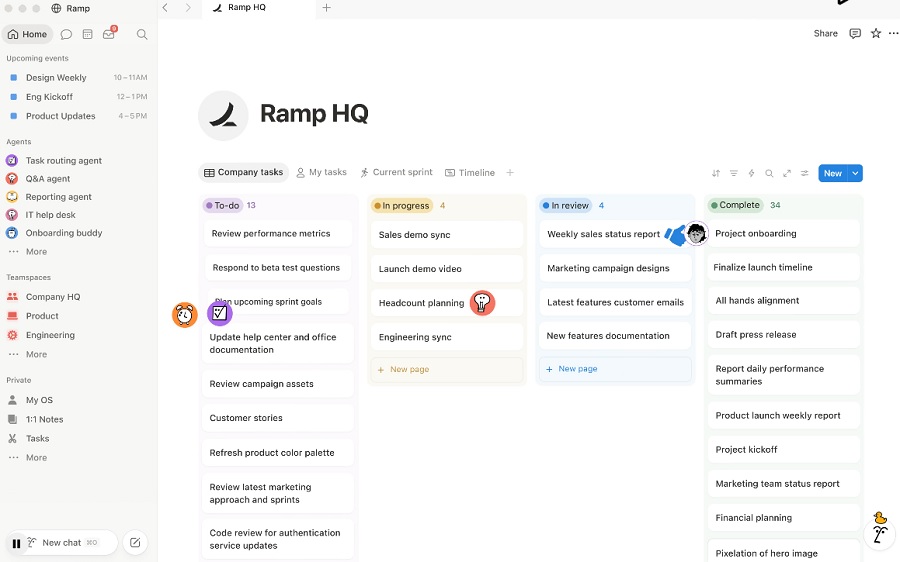
Users can also use it as a project management system. You can create tasks, assign team members, add due dates, and perform every project management task here.
It can also show projects as tables, lists, boards, calendars, etc. Filters can also be used to find any specific task from the projects conveniently. It makes management easier compared to other apps.
Depth, though, can be its only limit. Dedicated project management platforms can offer more helpful automation, reporting, and workflow controls. Notion is only ideal for project management and documentation.
3. Templates
A large library of pre-existing templates is also available. More than 20,000 templates are also there for to-do lists, planning, project, and personal management. It is especially helpful for beginners because they reduce the time users spend building from the beginning.
4. Collaboration
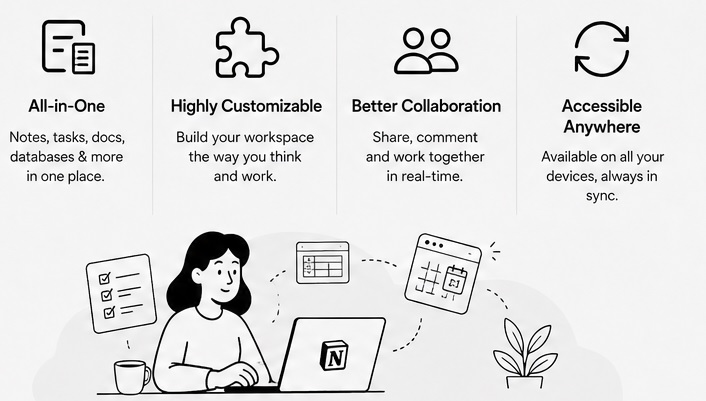
Teams can also work together on this platform. They can share a workspace, edit it, assign tasks to team members, and even comment on content simultaneously. It is an ideal solution for remote workers and collaborators working on documentation.
5. Notion AI
It can do writing, summarization, translation, question answering, and action-item features within a few seconds. Users, however, need to share their work data to use it.
Notion Agent, Enterprise Search, and AI Meeting Notes are examples of its AI abilities. Scheduled tasks can be performed using custom agents. Enterprise Search is perfect for searching connected devices like Gmail.
Although free and Plus users can get a free trial, a business plan is needed to get complete access to these tools.
5. Wikis and Knowledge Management
Notion is especially ideal for developing internal knowledge bases. Teams can use it to create structured libraries where they can store company information, procedures, documentation, onboarding material, and project information.
6. Calendar and Meeting Notes
Notion Calendar can be connected with Google Calendar through Apple iCloud support. Users can also add appointments and meeting details within pages of the workspace instantly.
AI Meeting Notes can also transcribe and summarize calls on Zoom, Microsoft Teams, and Google Meet. It can also create summaries and action items within the workspace.
Notion App Review: Pros & Cons
Notion App Pros
- All-in-one workspace
- Excellent note-taking
- Strong collaboration
- Large library of templates
- Powerful database
- Helpful free features
Cons
- Hard learning curve for beginners
- Limited offline and free access
- Average mobile experience compared to desktop
Notion App Pricing
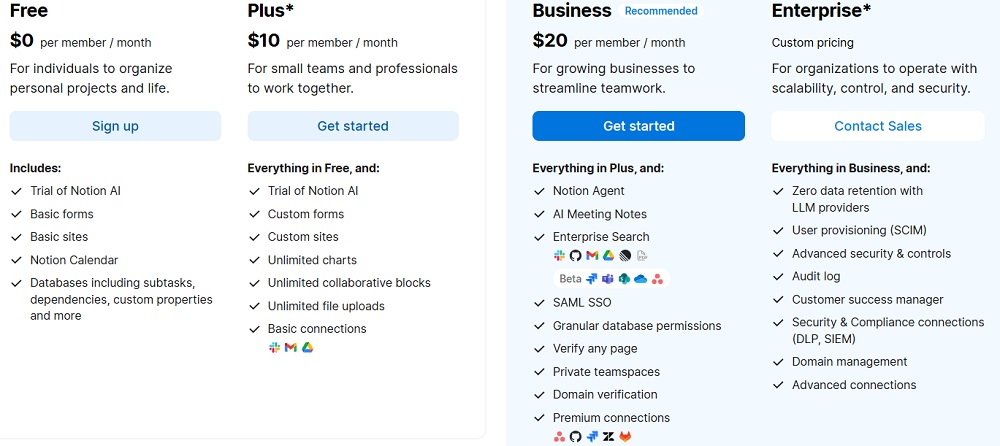
Free, Plus, Business, and Enterprise plans are available on Notion.
| Plans | Price | Features |
| Free | $0 |
|
| Plus | $10/month |
|
| Business | $30/month |
|
| Enterprise | Custom |
|
Who Should Use Notion App?
Notion is perfect for:
- Keeping notes, documents, and even projects together
- Customization
- Small teams or remote workers
- Knowledge base
- Managing content
- Replacing several productivity apps
It is, however, not perfect for complex automation, Jira-level engineering project management, deep reporting, etc.
FAQs to Notion App Review
Is Notion worth it in 2026?
Yes, it is perfect for keeping notes, documentation, databases, projects, and collaboration. Its free plan is useful for those with a low budget.
What is the biggest disadvantage of Notion?
Limited offline access, reporting, and advanced automation are its biggest weaknesses. A steep learning curve is another disadvantage.
Is Notion really free?
Yes, anyone can access its basic features for free. You must, however, opt for a paid plan for complete access.
Verdict on Notion App Review
Notion is one of the rewarding productivity apps in 2026. Its ability to combine notes, databases, documentation, tasks, calendars, collaboration, etc, is its biggest advantage. This is therefore users often appreciate its flexibility.
It can also replace several productivity tools when you only want to focus on information-based data. Highly specialized is an area where Notion falls short. Complex automation, reporting, deep project work, etc, are some of the top areas in which you must opt for another tool.
Notion is still an excellent option for freelancers, content teams, small businesses, students, and knowledge-heavy teams. You can give it a try for handling your regular workflows. It therefore deserves a fair chance.