
- Language Learning Guide
Best Flashcard App: Top 7 Apps Review
Are you looking for best flashcard app? Here is a list of top 10 best flashcard apps to help you in your study or exam preparation goals.
Students can become overwhelmed after studying from textbooks, PDFs, and even online courses. Flashcards can ease this process by breaking large and complex topics into questions and answers.
- By S Kumar
- 12 min read
- Updated Aug 2026
- 10 best flashcard apps reviewed in detail
- Full comparison table at a glance
- Tips to choose the best flashcard app for your study style
Anki
Quizlet
Brainscape
Knowt
Browse Categories
Explore Our Resources
Find the perfect tool for your study needs across our curated categories.
AI Study Tools
Leverage AI to summarize, quiz, and break down complex topics instantly.

Our Top Picks
10 best flashcard apps every student should know
From spaced repetition to AI-powered generation, these smart flashcard apps cover every study need.
Anki
Best Long-Term
Quizlet
Best for Beginners
Brainscape
Best Confidence-Based
Knowt
Best AI-Powered
Gizmo
Best AI Experience
Notion
Best Custom Dashboards
Zorbi
Best Notion Integration
RemNote
Best Notes + Cards
Cram
Best Quick Revision
Mochi
Best Minimalist
At a Glance
Best flashcard app: Comparison
A quick side-by-side before you dive into the full reviews below.
| App | Best For | Key Feature | Free Plan |
|---|---|---|---|
| Anki | Long-Term Memorization | SM‑2 spaced repetition, add‑ons | Free (desktop/Android) |
| Quizlet | Beginners & Classrooms | Large library, AI generation, multiple modes | Free / Paid |
| Brainscape | Confidence-Based Learning | Confidence rating, expert decks | Free / Paid |
| Knowt | AI-Powered Study Material | Kai AI, converts notes/PDFs/videos | Free / Paid |
| Gizmo | AI Flashcard Experience | AI generation, SRS, AI tutor, gamification | Limited free |
| Notion | Custom Study Dashboards | Highly customizable, templates, notes + cards | Free (with limits) |
| Zorbi | Notion-Based Flashcards | Chrome extension, cloze, SRS | Free / Paid |
| RemNote | Notes + Flashcards | FSRS, exam scheduler, AI card creation | Free / Paid |
| Cram | Simple & Quick Revision | 166M flashcards, basic review/test | Free / Paid |
| Mochi | Minimalist Note-Takers | Markdown, local‑first, SRS | Free / Paid (sync) |
Detailed Reviews
10 best Flashcard apps, reviewed
Click on any app below to expand its full review, top feature breakdowns, and target user recommendations.
Anki — Best for Serious Long-Term Memorization
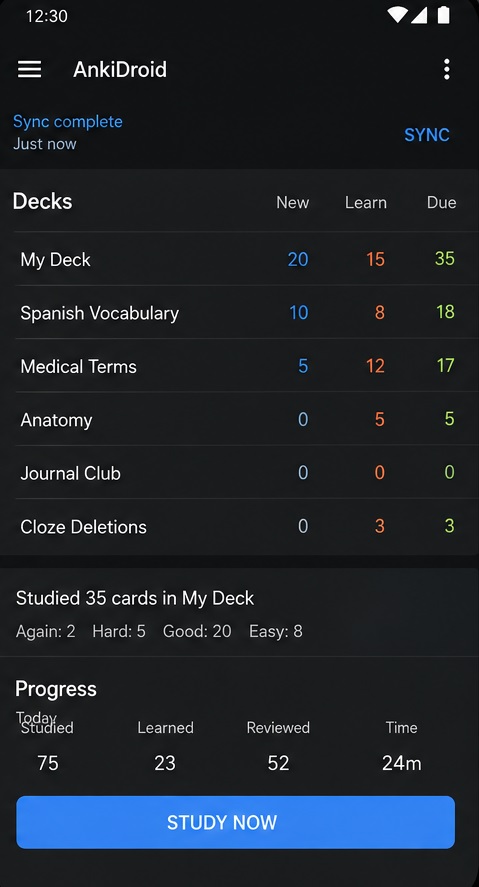
Anki is the gold standard for spaced repetition. It shows cards you struggle with more frequently, while easier cards appear rarely. Medical, STEM, law, and language learners rely on its flexibility. You can use images, audio, cloze deletions, tags, and custom templates.
Key Features
- Strong spaced repetition (SM‑2)
- Highly customizable
- Shared decks & add‑ons
- Broader media support
Best For
Students who need complete control and long-term retention, especially medical, STEM, and law students.
Quizlet — Best for Beginners and Classrooms
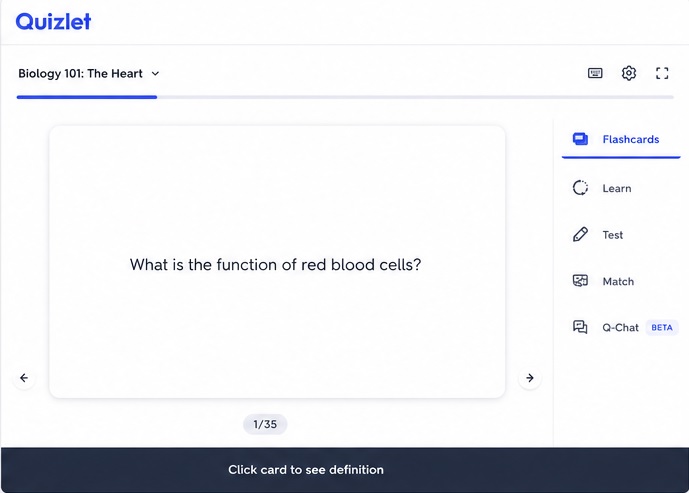
Quizlet is one of the easiest flashcard apps. Its massive library of community sets means you can start studying immediately. The AI flashcard generator converts lecture slides, notes, PDFs, and more into editable cards. Ideal for vocabulary, definitions, and school revision.
Key Features
- Easy interface
- Large library of sets
- AI flashcard generation
- Multiple study modes
Best For
Beginners, school/college students, and classroom revision.
Brainscape — Best for Confidence-Based Learning
Brainscape asks you to rate your confidence from 0–5 on each card. Low‑confidence cards appear more frequently, high‑confidence cards less often. This unique algorithm helps you focus on weak areas. It's ideal for MCAT, LSAT, and professional certifications.
Key Features
- Confidence rating system
- Expert decks available
- Unique repetition algorithm
- Simple workflow
Best For
Students preparing for high‑stakes exams like MCAT, LSAT, and professional certifications.
Knowt — Best for AI-Powered Study Material
Knowt's AI assistant, Kai, converts your notes, lectures, PDFs, and videos into flashcards and practice tests. It also offers a large collection of student-created decks. No need to learn how to make flashcards – just import and start studying.
Key Features
- AI assistant (Kai)
- Converts notes, PDFs, videos
- Multiple learning modes
- Practice tests & summaries
Best For
Students with lecture notes, PDFs, or videos who want instant AI-generated study material.
Gizmo — Best AI Flashcard Experience
Gizmo uses AI to turn PDFs, notes, YouTube links, and PowerPoints into flashcards. Its advanced repetition system combines active recall and spaced repetition. Gamification (XP, levels, streaks) keeps you motivated. An AI tutor provides deep explanations and conversation.
Key Features
- AI flashcard generation
- Strong SRS
- AI tutor
- Gamification
Best For
Students who want AI-generated flashcards and need motivation through gamification.
Notion — Best for Custom Study Dashboards
Notion isn't a dedicated flashcard app, but it's incredibly powerful for building custom study systems. You can create flashcards from scratch or use templates from the marketplace. Keep your notes, assignments, schedules, and revision plans in one place.
Key Features
- Highly customizable
- Templates available
- Keeps notes and cards together
- Mobile & desktop
Best For
Notion users who want to build a custom study dashboard with flashcards integrated into their workflow.
Zorbi — Best for Notion-Based Flashcards
Zorbi's Chrome extension connects Notion pages with the Zorbi app. You can convert notes into flashcards and sync them automatically. Supports images, equations, audio, cloze deletion, and more. Its spaced repetition system asks you to rate difficulty.
Key Features
- Notion integration
- Cloze cards
- Chrome extension
- SRS
Best For
Notion power‑users who want to turn their notes into flashcards without leaving Notion.
RemNote — Best for Notes + Flashcards
RemNote combines note‑taking with spaced repetition. You can create flashcards directly from your notes, and its AI can suggest cards from your material. It supports FSRS and has an exam scheduler to adjust reviews around a fixed date.
Key Features
- Notes and flashcards together
- FSRS support
- Exam scheduler
- AI card creation
Best For
Students who want to understand relationships between concepts and integrate notes with spaced repetition.
Cram — Best for Simple and Quick Revision
Cram offers 166 million flashcards and a simple interface for creating, finding, and reviewing cards. It's ideal for terminology, definitions, and vocabulary when exams are near. Basic card reviews and test modes are available, though it lacks advanced scheduling.
Key Features
- 166M flashcards
- Create, share, export, clone
- Basic review & test
- Simple interface
Best For
Students who need quick revision of terms, definitions, or vocabulary before exams.
Mochi — Best for Minimalist Note‑Takers
Mochi uses Markdown to combine notes and flashcards. You can write notes and convert parts into cards easily. It syncs only with your permission and is local‑first. The clean interface and SRS make it a great choice for minimalist note‑takers.
Key Features
- Markdown support
- Clean interface
- SRS
- Local‑first design
Best For
Minimalist note‑takers who want a simple, Markdown‑based flashcard system.
Find Your Fit
Which flashcard app is best for you?
Every app is built for a different purpose. Choose the one that matches your study style, or combine two for the best results.
Anki
Complete control with SM‑2, ideal for medical, STEM, and language learners.
Quizlet
Easy to use, massive library, and AI generation for quick study.
Brainscape
Focus on weak areas with a confidence rating system.
Knowt
Turn notes, PDFs, and videos into flashcards instantly with AI.
Gizmo
AI generation, gamification, and an AI tutor for deep learning.
Mochi
Markdown-based flashcards with a clean, local-first design.
Cram
Fast access to 166 million cards for terminology and definitions.
RemNote
Integrate notes, flashcards, and exam scheduling in one app.
Zorbi
Convert Notion notes into flashcards with a Chrome extension.
Notion
Build your own study system with notes, tasks, and flashcards.
Before You Download
How to choose the best flashcard app?
Your study habits and goals determine which flashcard app is right for you.
1. Works On Your Devices
Check that the app syncs across your phone, tablet, and computer.
2. Free Plan Covers Your Needs
Some apps limit reviews or features on the free tier—confirm it’s enough.
3. Supports Your Material
Make sure the app handles images, audio, or formatting you need.
Questions & Answers
FAQs to Best Flashcard App Guide!
Got questions about pricing, offline access, or combining these tools?
What is the best flashcard app for studying?
There is no single best flashcard app. Anki is the strongest for long-term memorization due to its spaced repetition. Quizlet is better for beginners, while Gizmo and Knowt are ideal for AI-generated cards.
Is Anki better than Quizlet?
Anki excels for detailed control over spaced repetition and long-term retention. Quizlet is best for beginners and quick classroom revision.
What are the best flashcard apps for studying with AI?
Gizmo and Knowt are excellent for AI-powered flashcard creation. Quizlet and RemNote also offer strong AI features.
Final Verdict on Best Flashcard Apps
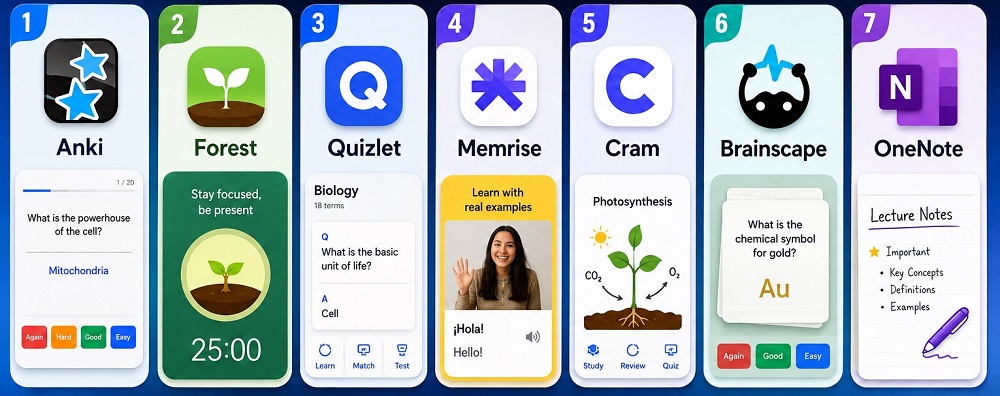
There’s no single winner when it comes to the best flashcard app. Each app solves a different problem. Anki is designed for long-term retention, Quizlet for beginners, Brainscape for confidence-based learning, and so on. Consider your ease, retention needs, and consistency to find the right fit.