
Is AnkiDroid Safe? AnkiDroid is one of the most popular flashcard apps for students, language learners, medical aspirants, and professionals.
It uses spaced repetition and active recall to help users remember information for a longer duration.
Many beginners fear using it despite its popularity, as they have privacy concerns. These fears are genuine when you use an app to store thousands of your personal notes.
We will help you learn AnkiDroid’s working process, security features, privacy measures, and whether you should trust it or not.
What is AnkiDroid?
It is a free Android application for studying using digital flashcards. It schedules reviews based on your performance of remembering a card instead of reviewing every card daily. It follows these learning methods:
- Spaced Repetition
- Active Recall
They help improve long-term memory and reduce unnecessary revision time. It provides you with complete control over your learning material.
Cards are also organized in decks to help you manage different subjects separately. You will get s study statistics, customizable review options, and synchronization with AnkiWeb for multi-device access on this app.
Is AnkiDroid Safe?
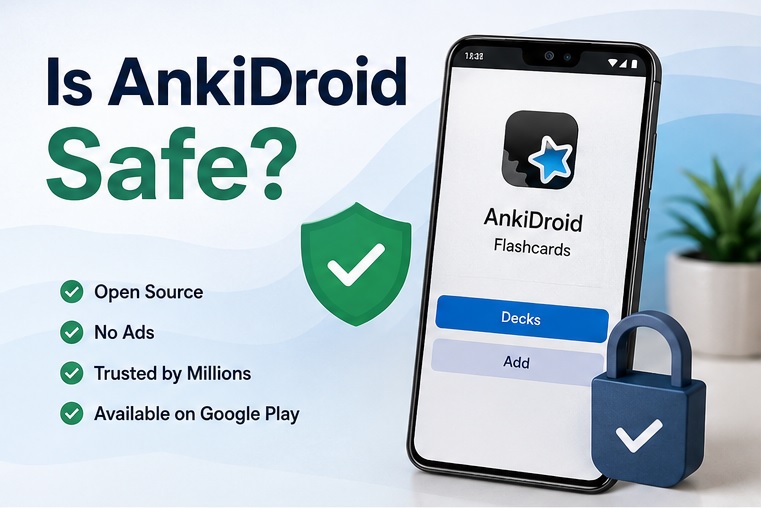
Yes, AnkiDroid is considered safe for most users.
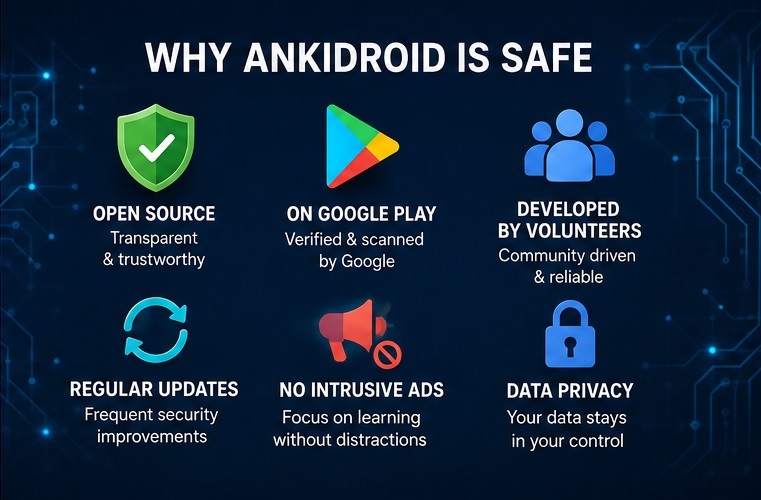
Security experts and long-term users trust this app because it is:
- Available on Google Play
- Open source
- Developed by volunteers
- Recommended as the official Android client within the Anki ecosystem
- Used by millions of students worldwide
- Regularly updated
- Free from intrusive advertisements
It has maintained a strong reputation for several years. Users and developers have consistently described Ankdroid as trustworthy for daily study on many community-based platforms.
Tips for Using AnkiDroid Safely
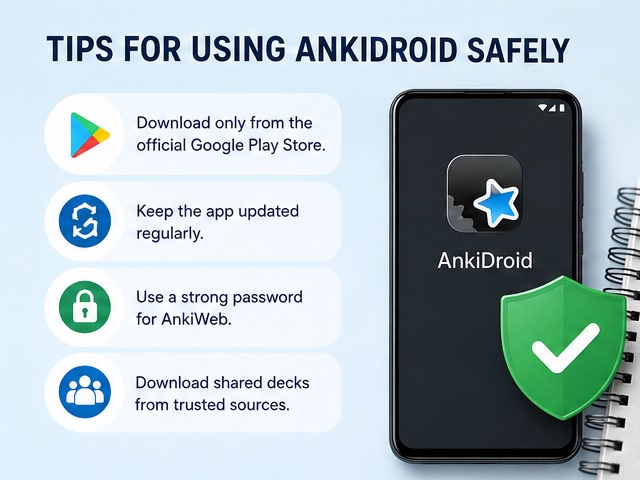
- Download only from the official Google Play listing.
- Keep the app updated.
- Use a secure AnkiWeb password.
- Download shared decks from trusted sources whenever possible.
These tips would help you minimize any potential risk.
How Does AnkiDroid Work?
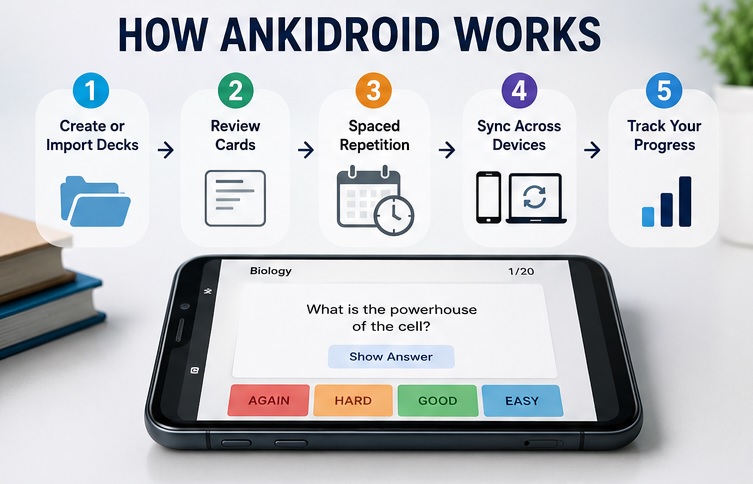
AnkiDroid shows flashcards before you forget the information. It intelligently schedules future reviews without reviewing every card daily. Here’s the basic process:
Step 1: Create or Import a Deck
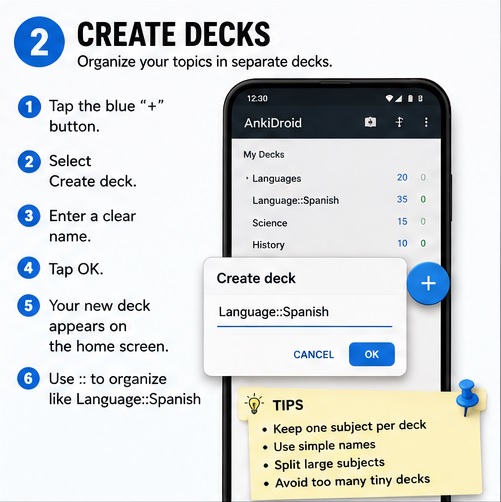
You can use this app to:
- Create your own flashcards
- Download shared decks
- Import decks from Anki Desktop
Biology, Spanish vocabulary, Programming, and medical terminology are examples of decks, as they can focus on a particular topic,
Step 2: Review Cards
AnkiDroid displays one flashcard at a time.
You will see the question on it.
You can reveal the back of the card after thinking about the answer.
Then you have to rate your performance from:
- Again
- Hard
- Good
- Easy
Your response will then decide when you will see the card again.
Step 3: Spaced Repetition Scheduling
Cards those answered correctly would appear less often. Cards those answered incorrectly might appear much sooner compared to those answered correctly.
It reduces unwanted repetition and improves memory retention.
Although your difficult cards would get more attention over time, easy cards will slowly move to longer review intervals.
Step 4: Sync Across Devices
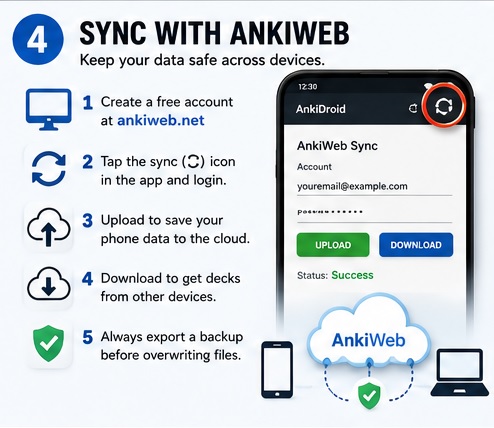
You can synchronize your progress between:
- Android phone
- Windows computer
- Mac
- Linux
- Web browser
You must, however, create a free AnkiWeb account. It means that your study progress will stay available across multiple devices.
Step 5: Track Your Progress
AnkiDroid has these detailed statistics:
- Cards studied
- Daily reviews
- Retention rate
- Learning progress
- Review history
They help you stay consistent throughout your schedule.
Why Students Trust AnkiDroid
It has created a loyal community over many years. Top reasons behind its popularity are:
- Completely free to use
- No subscription
- Open-source development
- Flexible customization
- Strong community support
- Several shared decks
- Reliable synchronization with AnkiWeb
- Proven spaced repetition algorithm
Medical students, language learners, university students, and professionals use AnkiDroid daily because it focuses on learning without unnecessary distractions.
Is AnkiDroid Available on Google Play?
Yes, AnkiDroid is available on the Google Play Store. This is why it is easy and safe for Android users to install.
You can reduce the risk of installing modified or fake versions from third-party websites by downloading the app from Google Play. You should verify that you are installing the official app before downloading.
It is important to choose the right one because there are many flashcard apps with similar names. Experts have also suggested that you should only depend on the official Anki ecosystem links when downloading the Android version.
Why download from Google Play?
- Google Play Protect offers automatic security scanning
- Easier access to app updates
- Reduced risk of malware
- Verified developer information
- Safer installation than APK downloads from unknown websites
You should avoid downloading AnkiDroid from Unknown APK websites, random file-sharing platforms, suspicious download links shared on forums, and fake websites.
The official version ensures that you are using the latest security improvements and bug fixes.
Is AnkiDroid Open Source?
Yes, it is entirely open source.
It is one of the top reasons why experts and security-conscious users trust it.
Open-source software means its source code is publicly available. Developers worldwide can review the code, report issues, suggest improvements, and contribute fixes. Anyone can detect hidden malicious code due to this level of transparency.
Although the volunteer community has developed AnkiDroid, it is officially recognized as part of the Anki ecosystem.
Benefits of open-source software
- Publicly reviewable source code
- Community contributions
- Faster bug reporting
- Greater transparency
- Long-term reliability
- Independent security reviews
Most users use open-source software because it is not a black box. Experienced developers may easily examine the application if they are open-source.
Does AnkiDroid Collect Personal Data?
Is AnkiDroid Safe? Most of your study data stays on your device if you use AnkiDroid without syncing.
It, however, stores your email address, flashcards, media files, review history, and basic profile information when you create your account. It syncs your app’s data across devices. Although the support staff might access data for investigation, it is not visible to other users.
The app may also collect your IP address, app version, operating system, and access logs to improve security, diagnose problems, and analyze usage. It also uses cookies for authentication, personalization, and performance.
Is It Safe to Sync with AnkiWeb?
It is an official cloud synchronization service. You can keep your decks updated across multiple devices without manually transferring files.
You can use it to:
- Study on your Android phone during the day.
- Continue on your laptop in the evening.
- Start where you left off without losing progress.
It helps you synchronize your study history, scheduling information, and deck changes between devices.
The web software follows the same spaced repetition as Anki. It helps you keep your study progress consistent after syncing.
Tips for secure syncing
- Use a strong password.
- Enable two-factor authentication if available for your email account.
- Don’t share your AnkiWeb credentials.
- Log out from public devices.
- Sync regularly to create an updated cloud backup.
It is one of AnkiDroid’s most popular features.
Thousands of learners create decks for subjects:
- Medicine
- Languages
- Computer science
- Mathematics
- Geography
- Law
- Competitive exams
Most shared decks are perfectly safe to use. They mainly contain flashcards, images, audio, and basic formatting.
Experts shared on community forums that deck files are essentially a database with study content instead of executable programs. This is why they could not infect your Android device with malware.
When concerns like “Is AnkiDroid Safe” is running in mind then it becomes obvious to think about questions like; Can shaed decks contain viruses? The risk is extremely low for normal users.
Flashcard decks are not created to execute software like old apps. Although poorly created content might have formatting issues or unwanted material, it cannot fill your phone with malware.
That is usually the safest option because you know exact the content type has been included when you are creating your own study material.
Common Safety Concerns About AnkiDroid
1. App Permissions
AnkiDroid requests some permissions to provide its features. The exact permissions might differ depending on your Android version and the feature you use.
Common permissions are:
- Storage access to import or export decks and media files.
- Camera access if you choose to add photos to flashcards.
- Microphone access for recording audio on cards.
- Network access for syncing with AnkiWeb and downloading shared decks.
2. Can AnkiDroid Contain Malware?
It is open source. This means that developers can inspect its code. Its transparency makes it easy to find and fix security issues.
The biggest risk is downloading modified APK files from an unofficial website.
- You can simply install it from Google Play, as it is considered safe.
3. Is My Data Secure?
Your decks and review history are stored to keep your progress synced across devices when synchronized.
Although no one can see it, the technical staff may access it to solve technical errors.
The service does not use it for third-party marketing.
FAQs: Is AnkiDroid Safe?
Is AnkiDroid completely safe?
Yes, the official version is generally considered safe. It is open source and recommended as the Android client within the Anki ecosystem.
Is AnkiDroid free to use?
Yes, the app is entirely free to download and use on your device.
Can AnkiDroid access my personal files?
Yes, only if you give some permissions for using some features. You can manage these permissions in your Android settings.
Is AnkiWeb syncing secure?
Yes, it is the official synchronization service. The web software stores your decks and review history to sync your progress across devices.
Does AnkiDroid collect personal information?
Basic account and synchronization data might be collected if you use Ankiweb. But offline use only stores your data within your device.
Conclusion
AnkiDroid has gained a reputation as one of the most trusted apps for Android. Its open-source development, active community, regular updates, and integration with the official Anki ecosystem make it perfect for students and professionals.
Although no app can entirely guarantee security, Ankidroid follows good security practices and gives users control over their data.